Bounty Hunter AI — Local Bug Bounty Command Center
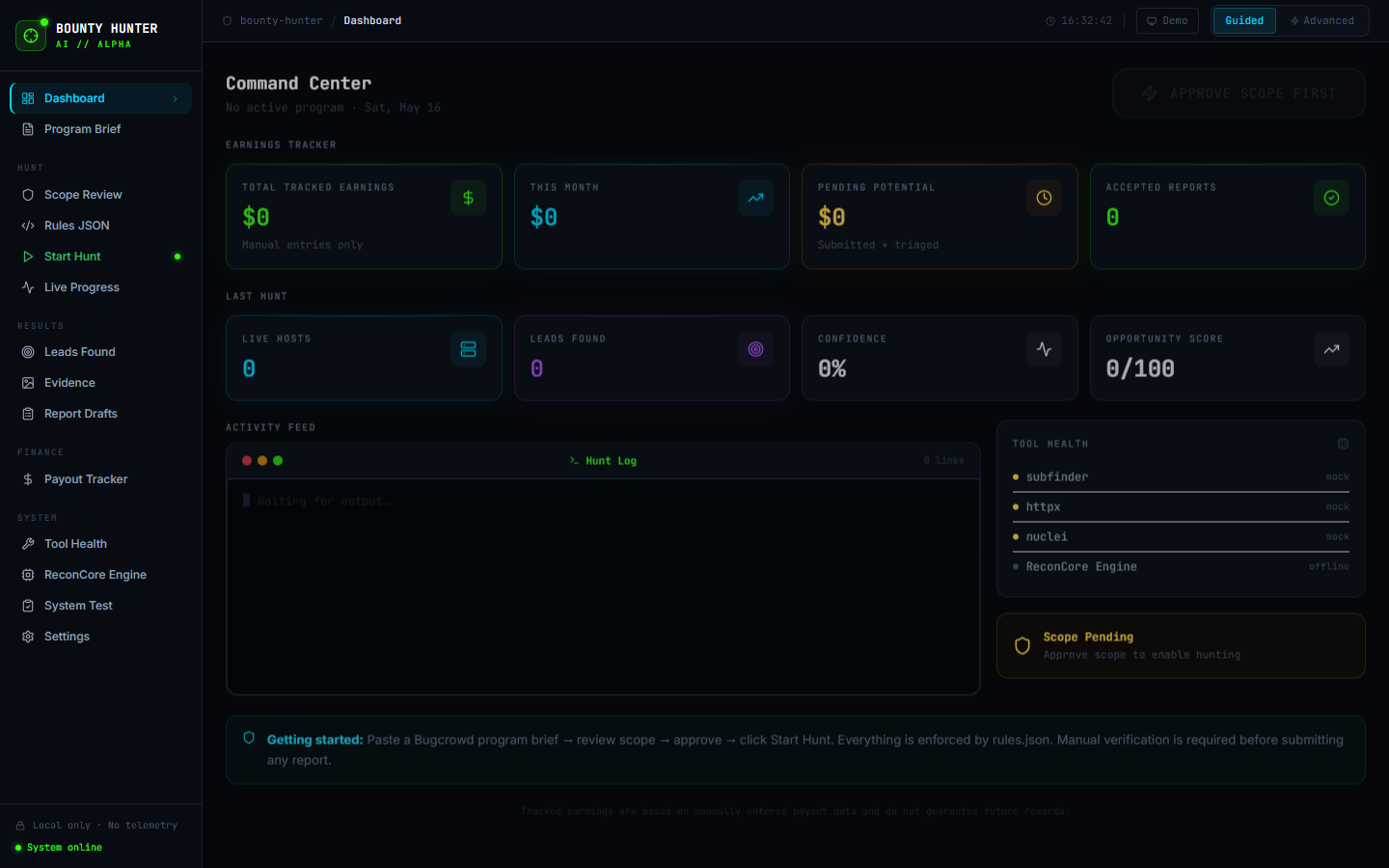 Bounty Hunter AI — fully local, scope-enforced bug bounty research platform
What I Built
Bounty Hunter AI is a local bug bounty research tool — a full-stack app that acts as a command center for ethical security research. It handles program management, passive recon orchestration, lead tracking, evidence collection, and payout logging. The entire thing runs locally — no cloud, no telemetry, no data leaves your machine.
Why I Built It
I wanted a single place to manage bug bounty programs instead of jumping between a dozen browser tabs, terminal windows, and spreadsheets. The existing tools are either too specialized (just a recon tool, just a report builder) or require cloud accounts. I wanted something self-contained that I could run on any machine.
Architecture
- Backend: Python 3 + FastAPI + SQLAlchemy ORM + SQLite
- Frontend: React 18 + TypeScript + Tailwind CSS + Vite (port 5174)
- Backend API: Port 8001
The backend exposes a REST API that the React frontend consumes. Everything is stored in a local SQLite database so you keep full control of your research data.
Key Features
- Program Brief Parser — paste a Bugcrowd or HackerOne program page, auto-extract scope, out-of-scope, and reward tiers
- rules.json Generator — enforces strict scope policy before every recon task
- One-Button Hunt — triggers a 10-step passive recon workflow (subfinder, httpx, katana, waybackurls, nuclei, gowitness, and more)
- ReconCore Engine — extended recon workflow with real-time streaming logs and live progress
- Lead Scoring — auto-ranks findings by confidence and severity (Critical / High / Medium / Low / Info)
- Evidence Viewer — local screenshot viewer with fake browser chrome, tech stack detection
- Report Draft Builder — generates Bugcrowd-ready vulnerability reports, never auto-submits
- Payout Tracker — earnings dashboard with charts, status tracking (pending / paid / rejected)
- Demo Mode — mock adapters for all 9 recon tools, so the entire app is explorable on Windows without Kali installed
Safety First
The app enforces scope validation against rules.json before every single task. Brute force, phishing, and DDoS capabilities are permanently blocked and cannot be overridden. Nothing auto-submits. This is designed for authorized bug bounty research only.
Running It
On Windows (demo mode, no Kali tools needed):
1
2
3
4
5
6
7
8
9
10
11
12
# Backend
cd backend
python -m venv venv
venv\Scripts\activate
pip install -r requirements.txt
uvicorn app.main:app --reload --host 127.0.0.1 --port 8001

# Frontend
cd frontend
npm install
npm run dev
# Opens at http://localhost:5174
What I Learned
The most interesting engineering challenge was building the mock adapter system. On Windows, none of the Kali tools (subfinder, nuclei, etc.) are available. So every tool has a shutil.which() check — if the real binary isn’t found, it falls back to a realistic mock that simulates the output with appropriate delays and fake data. This means the same codebase works for demo on Windows and live recon on Kali/VM.
Building the streaming log output for the live hunt progress page also required learning about FastAPI’s StreamingResponse and how to push server-sent events to the React frontend in real time.